
.jpg)

In complex construction projects, coordination issues between architectural and MEP systems are one of the primary reasons for delay, rework, and cost overruns. Even small discrepancies between layouts can cause major conflicts on the construction site.
This is where architectural CAD drawings take center stage. Although the use of BIM-based MEP design processes has revolutionized the field of MEP design coordination, the success of the entire MEP design coordination process still depends on the accuracy and structure of the architectural CAD drawings.
Architectural CAD drawings provide the necessary foundation upon which the entire BIM design coordination process is established. With the integration of CAD drawings into the BIM environment, the gap between design and construction can be bridged.
This blog examines the crucial role architectural CAD drawings play in streamlining BIM-based MEP design workflows and highlights the importance of their integration for modern construction projects.
Understanding Architectural CAD Drawings

Architectural CAD drawings are a digital representation of a building design created through computer-aided design software. These CAD drawings act as the backbone of any design document and offer detailed information regarding the spatial layout of a structure for different projects.
Key Components of Architectural CAD Drawings
Some of the components that are usually included in architectural CAD drawings include:
- Floor plans
- Elevations and sections
- Site layout drawings
- Reflected ceiling plans (RCP)
- Door and window schedules
- Annotations and dimensions
Each of these components contributes to the overall geometry and relationships that are necessary for subsequent activities, such as structural design and MEP design.
Role in Design Documentation and Construction Planning
Architectural CAD drawings serve as a reference point for all the stakeholders involved in the construction process. It effectively communicates the design intent and provides all the necessary information for the following:
- Construction planning
- Material estimation
- Coordination between disciplines
- Relevant regulatory approvals
Importance of Precision and Detailing
Accuracy is a very critical aspect of architectural CAD drawings. Any discrepancies, however trivial, in the drawings may cause major problems in the coordination of MEP design and construction. Accurate detailing will enable the MEP engineers to design systems that will fit in very smoothly within the architectural design.
Overview of BIM and MEP Design Workflow

The inclusion of Building Information Modeling (BIM) in the MEP design process is reported to have revolutionized the MEP design process. The use of a BIM-based MEP design process allows project teams to look beyond traditional 2D-based MEP design processes. It helps project teams adopt a collaborative 3D-based MEP design process, which not only helps improve accuracy but also ensures proper coordination of all building systems within a specific spatial framework. The increasing complexity of projects demands the use of a BIM-based MEP design process, making it an essential requirement for ensuring proper efficiency in project outcomes.
What Is BIM (Building Information Modeling)?
BIM stands for Building Information Modeling. It is a 3D model that includes a data-rich process of collaboration, which allows all stakeholders in a project to collaborate on a shared digital model of an asset in a project.
Compared with other drafting methods, BIM can support:
- Real-time collaboration
- Data-driven decision-making
- Asset management
BIM can be defined as a centralized environment where all disciplines collaborate in a shared environment.
What is an MEP design workflow?
The MEP design workflow is a process that covers the planning, modeling, and coordination of mechanical, electrical, and plumbing systems within a building.
This includes:
- Layout of HVAC systems, including ductwork design
- Electrical systems, cable trays, and electrical load distribution
- Plumbing and drainage systems design
- Fire protection systems design
All these systems need proper coordination with architectural and structural systems.
Connection Between Architectural CAD Drawings and BIM-Based MEP Design
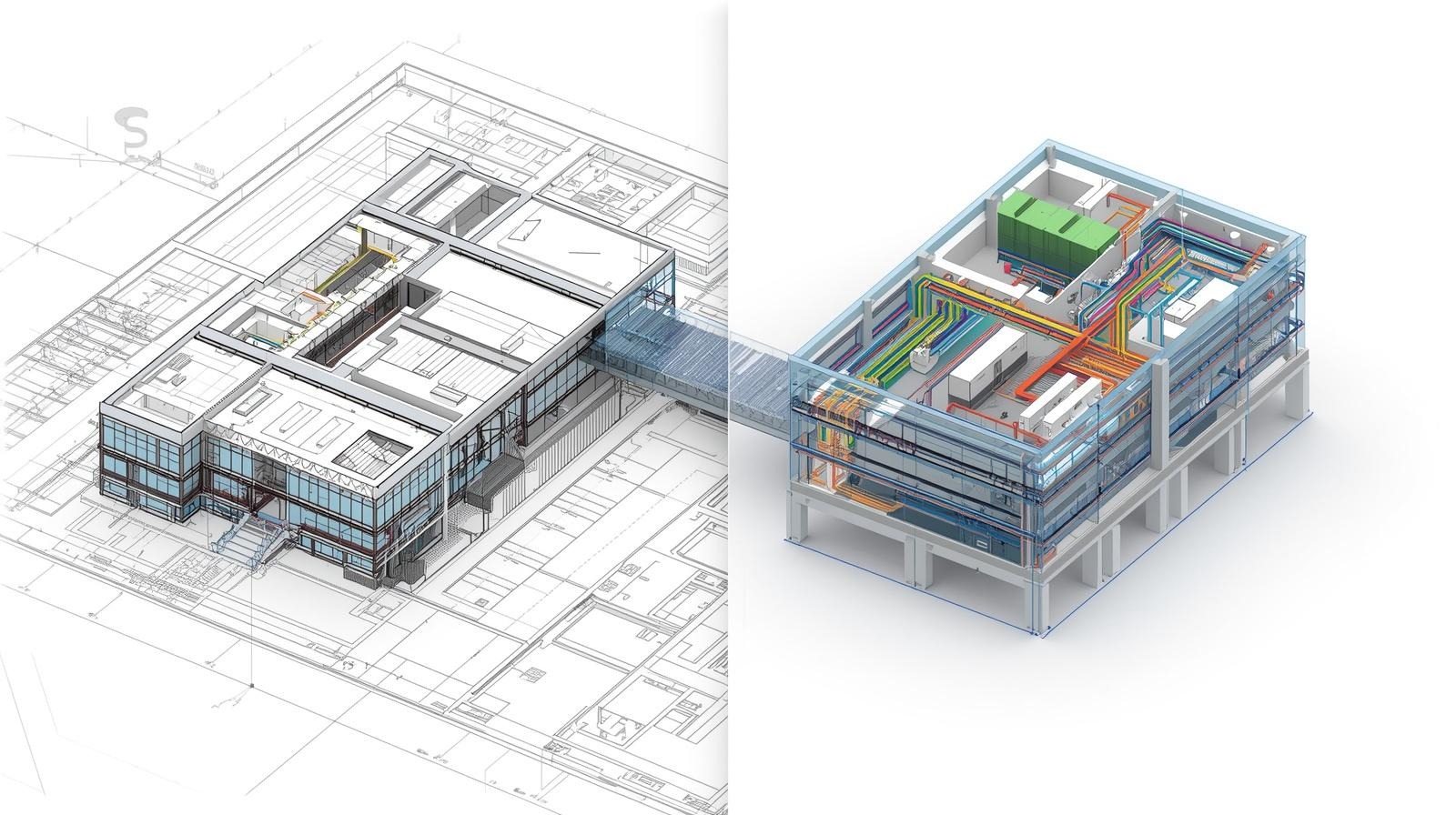
The link between architectural CAD drawings and the BIM-based MEP design process is fundamental to delivering an accurate and coordinated result for building systems. BIM software offers powerful tools for intelligent 3D modeling and data management. However, BIM relies on accurate architectural input to function correctly. CAD drawings offer critical spatial and geometric information and design intent to BIM for effective MEP coordination. Lack of structured and accurate CAD drawings makes BIM an inefficient process. This leads to coordination and accuracy issues during the process. It is critical to develop a good link between CAD documentation and BIM processes to ensure an accurate and coordinated result for MEP systems from an early stage.
CAD Drawings as the Foundation for BIM Modeling
The CAD drawings of architectural layouts are taken as input for creating BIM models. They are the spatial basis for creating 3D models using BIM software like Autodesk Revit.
A CAD file in a poor state of organization can result in inefficient BIM models, but a well-organized CAD file can help in creating models more efficiently. Disorganized layers, repeated geometry, or scaling issues can cause significant delays in model creation or even lead to incorrect models in the BIM environment.
- A well-organized CAD file can help BIM teams achieve the following:
- Rapid creation of grids and levels for models
- Proper placement of architectural and MEP parts
- Consistency in models
- Efficiency in model creation
Importance of Accurate Architectural Data for MEP Coordination
MEP systems have to work within a space that is determined by the architectural design.
For example:
- Ducts have to follow the space available under the ceiling
- Electrical wiring has to be taken care to avoid interfering with the structure
- Plumbing also depends on the availability of space in shafts or walls
CAD data provides precise information that enables a clear understanding of the constraints, making it easy to coordinate the MEP systems. In practical situations, even small errors in CAD data, such as incorrect positioning of shafts or incorrect thicknesses of walls, may cause considerable problems during coordination due to increased clashes in a BIM environment. By being precise during the CAD phase, it is possible to reduce such risks and create a better BIM coordination process.
File Compatibility and CAD-to-BIM Conversion
The change from CAD to BIM includes the import and alignment of the CAD designs into the BIM software. This includes:
- Layer management
- Linework management: clean linework and minimal duplication
- Accurate scale and units
Effective CAD-to-BIM workflows can greatly improve modeling speed and accuracy. Implementation of standard practices for CAD can also improve the change from CAD to BIM. This includes the use of consistent naming conventions, the use of blocks, and the elimination of unnecessary details. This can improve the performance and usability of the final model by reducing the size and complexity of the CAD designs.
How CAD Drawings Streamline BIM-Based MEP Design Workflow
The importance of architectural CAD drawings in enhancing the efficiency of a BIM-based MEP design process lies in their ability to create a solid foundation for the development of a system that can better coordinate architectural design with the MEP design process, thereby enhancing the efficiency of the workflow process. This is a key aspect that enhances design coordination, collaboration, etc.
1. Accurate Design Coordination
The architectural CAD drawings ensure an accurate and precise layout of the system. This ensures accurate coordination of all systems. In practice, structured CAD drawings result in fewer coordination cycles and, hence quick coordination between different disciplines.
2. Improved Clash Detection
The integration of CAD drawings with BIM models ensures improved clash detection between different systems. For example, clash detection between HVAC ducts and structural beams during the design phase ensures fewer modifications during construction.
This results in:
- Reduced rework
- Lower costs
- Better construction schedules
3. Seamless Collaboration Among Teams
The BIM model developed on the basis of CAD drawings ensures seamless collaboration between different teams. All stakeholders work on a single platform. This ensures better communication and eliminates miscommunication.
4. Faster Revisions and Updates
In every project, there is a need for updates and modifications to the original plan. The structured CAD drawings ensure quick updates to BIM models. This ensures quick updates to different disciplines without rework.
5. Improved Documentation and Project Delivery
The BIM model developed on the basis of CAD drawings ensures quick and accurate documentation of projects.
The BIM model ensures quick and accurate generation of:
- Shop drawings
- As-built drawings
- Quantity take-offs
Benefits of Integrating CAD Drawings with BIM
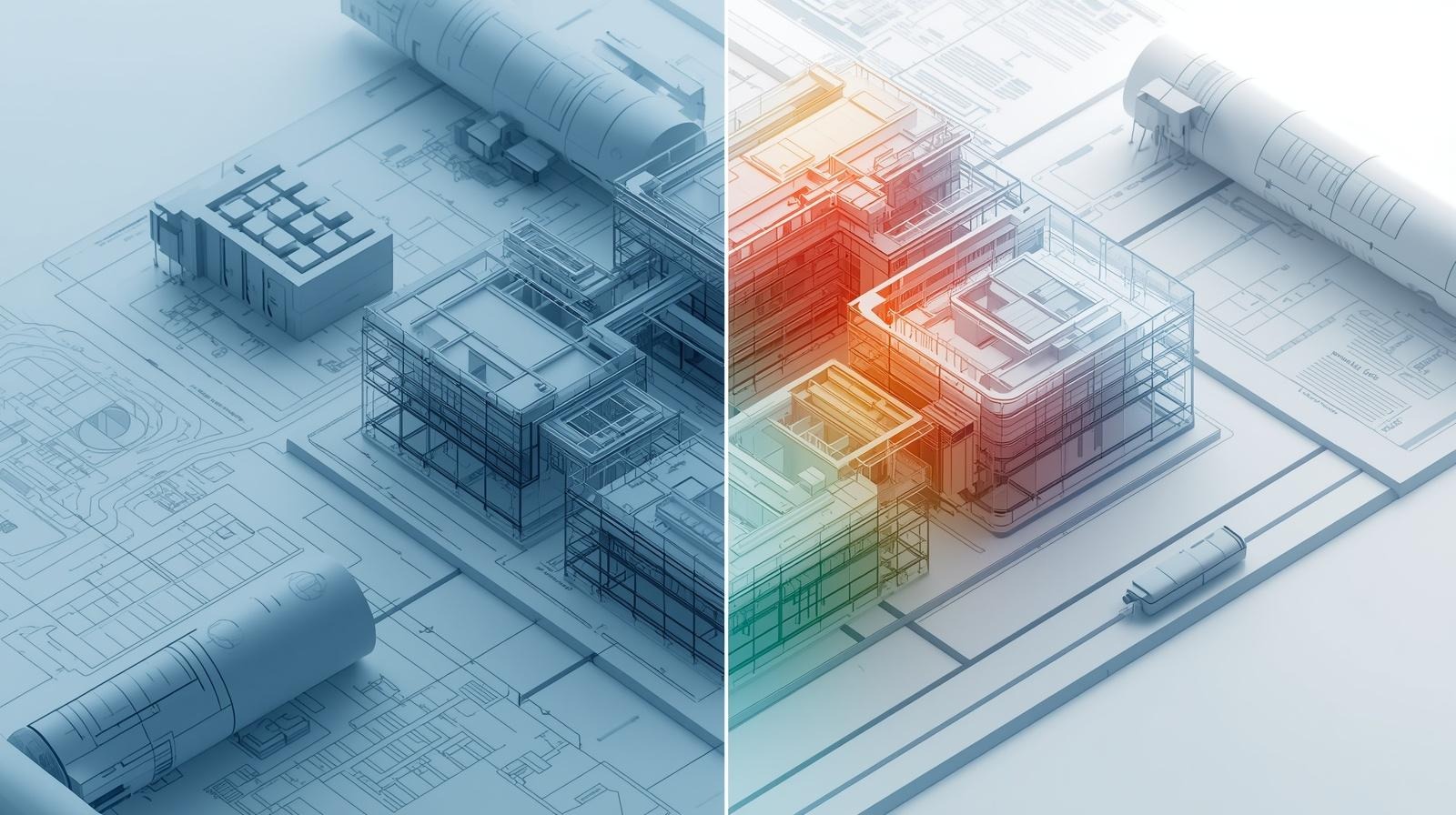
Integrating architectural CAD drawings into a BIM workflow can provide many benefits, including improved accuracy, coordination, and overall project performance. The combination of precise 2D documentation and accurate 3D modeling can improve project efficiency, accuracy, and collaboration. This can improve decision-making accuracy and ensure that building systems are designed more clearly and efficiently.
Improved Project Efficiency and Reduced Errors
Accurate CAD inputs can improve project efficiency and reduce errors in project execution.
Better Visualization and Design Accuracy
3D models of buildings using CAD drawings can improve visualization, thus ensuring better decision-making at the early stages of project development.
Enhanced Collaboration Between Disciplines
A shared environment using BIM can improve collaboration among architects, structural engineers, and MEP engineers.
Simplified Construction and Facility Management
Accurate models can simplify construction activities and also improve data management for long-term facility management.
Challenges in Integrating CAD and BIM Workflows
Though the benefits of integrating CAD drawings of architectural designs and BIM are numerous, it also comes along with a number of challenges. These challenges are important and may affect the efficiency and accuracy of the results. The differences in the structure of the data and the platforms used may sometimes lead to a gap in the transition from CAD to BIM.
Compatibility and Data Exchange Issues
File formats and platforms used can be a source of incompatibility, which can result in loss of information or accuracy.
Training and Adoption Issues
Using BIM, as opposed to CAD, also requires well-trained individuals, which can be a source of hindrance in certain organizations.
Accuracy During Conversion
CAD structuring can be a source of inefficiency in BIM, which makes accuracy during conversion a significant issue.
The Future of CAD and BIM Integration in MEP Design

The AEC industry is in the midst of a rapid digital revolution, and the integration of CAD and BIM technologies is proving to be a key factor in improving efficiency and innovation in the design process for MEP systems. With projects becoming increasingly complex, organizations are forced to adopt a higher level of sophistication in the use of digital technologies.
Digital Transformation in AEC Workflows
Cloud-based platforms and digital twins are helping to achieve real-time collaboration for stakeholders to access and update the information required for the projects. This is helping to improve transparency and decision-making while increasing the alignment of all the disciplines involved in the projects.
Advancements in Automation and AI
Significant changes are being observed in the field of CAD to BIM workflows due to the advancements in automation and AI technologies. This is helping to improve the speed and accuracy of the systems.
Growing Adoption of BIM in MEP Design
As the use of BIM is becoming a global standard for construction projects around the world, the need for accurate and well-structured architectural CAD designs will only grow. This will continue to remain an essential input for the implementation of the BIM workflow for the projects.
Conclusion
Therefore, architectural CAD drawings are not just simple design tools, but rather the key to the success of the BIM-based MEP design process. From the definition of spatial accuracy to the integration of systems, the impact of CAD drawings on the overall process is widespread.
At Techture, we have seen that the success of the BIM-based MEP coordination process is directly affected by the quality of the architectural CAD drawings provided to the project team. Even in large-scale projects, particularly high-rise buildings, any minor error in the CAD drawings may result in major problems during the MEP coordination process, whereas accurate CAD drawings would result in the faster completion of the project.
As the construction industry is moving towards the complete digitalization of the construction process, the integration of CAD and BIM will be the key to the success of the construction industry in the near future, and any organization that focuses on the integration of these two systems during the early stages of the project would be able to deliver accurate, efficient, and successful construction projects in the future.
FAQs
1. What is the difference between CAD and BIM in building design?
While CAD is concerned with the production of drawings in 2D or simple 3D, BIM goes beyond this by incorporating data that assists in the entire building process, including construction.
2. How do architectural CAD drawings support MEP coordination?
It aids the process of MEP coordination by providing accurate spatial information, allowing the engineer to incorporate the MEP systems into the building.
3. Can CAD drawings be imported into BIM software?
Yes, CAD drawings, including those in the DWG format, are able to be imported into BIM software, including Revit.
4. What challenges arise when merging CAD and BIM workflows?
Some of the problems that may be experienced include file compatibility, data loss, lack of standardization, and the need for professionals to work with the software.


.jpg)